Buy Eurc

$300
~ 0 BTC
$500
~ 0 BTC
$1,000
~ 0 BTC
How to Buy EURC with Credit or Debit Card
CEX.IO offers over 300 digital assets, including EURC, giving users broad flexibility to manage their crypto portfolios. Eligible participants can obtain EURC directly via credit or debit cards, or through trading and wallet funding. Whether you’re looking to buy Bitcoin or diversify with stablecoins like EURC, CEX.IO’s Instant Buy feature ensures a quick and seamless purchase experience.
How to buy EURC: a Step-by-Step Guide
Buying EURC on CEX.IO is simple and intuitive, whether using our web-based platform or the CEX.IO Crypto Mobile App. Follow the steps below to complete your first EURC purchase:
Step 1 – Register an Account
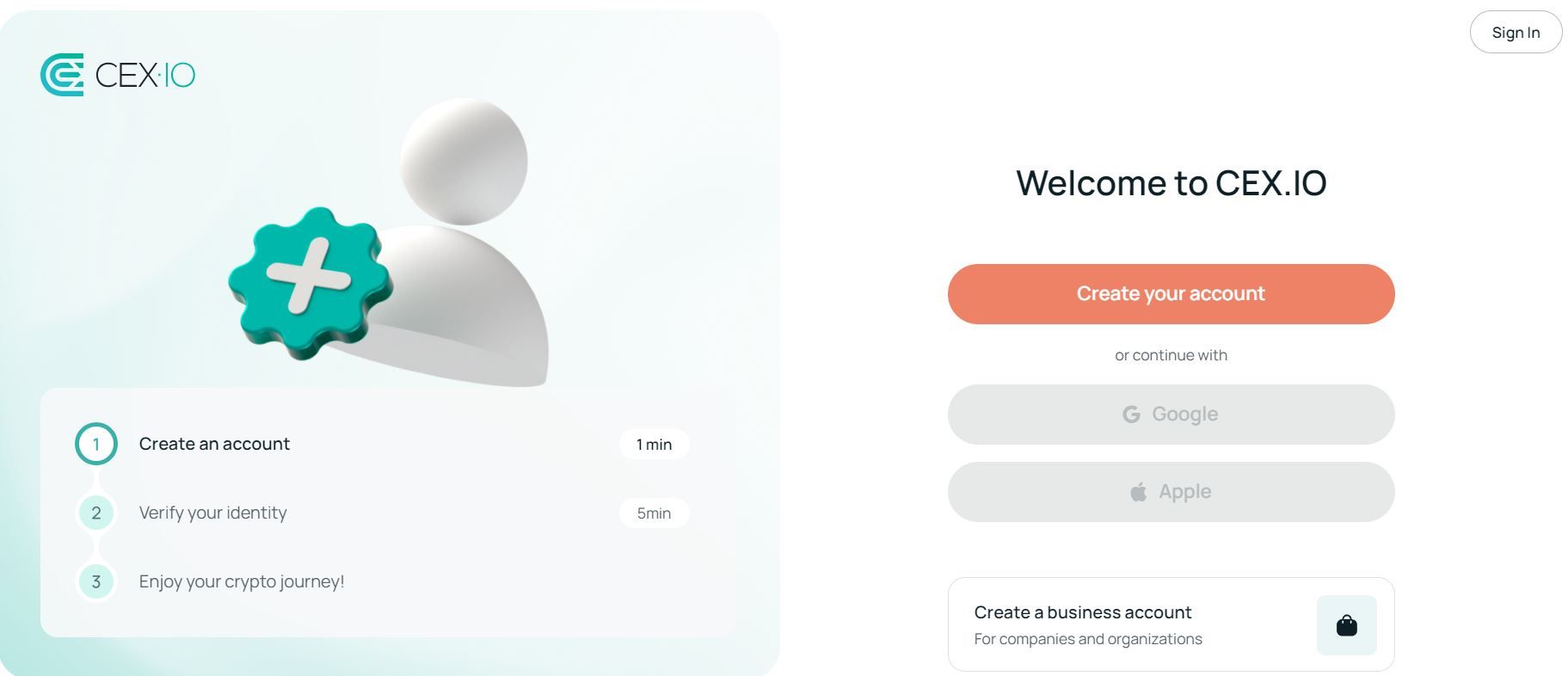
To get started, visit CEX.IO and click Register on the homepage. Enter your email, create a strong password, and agree to the Terms of Use. Confirm your email by clicking the verification link sent to your inbox.
For mobile users, download the CEX.IO App from the App Store or Google Play. Tap Sign Up, provide your email and password, and verify your account via email before proceeding.
Step 2 – Verify Your Identity
CEX.IO follows strict compliance standards, so identity verification is required. Log in and navigate to the Verification section. You’ll be asked to upload a government-issued ID (passport, driver’s license, or national ID card) and take a selfie for liveness verification.
Provide your residential address and, if required, proof of address (like a utility bill or bank statement). Verification typically completes within minutes.
Step 3 – Access Instant Buy
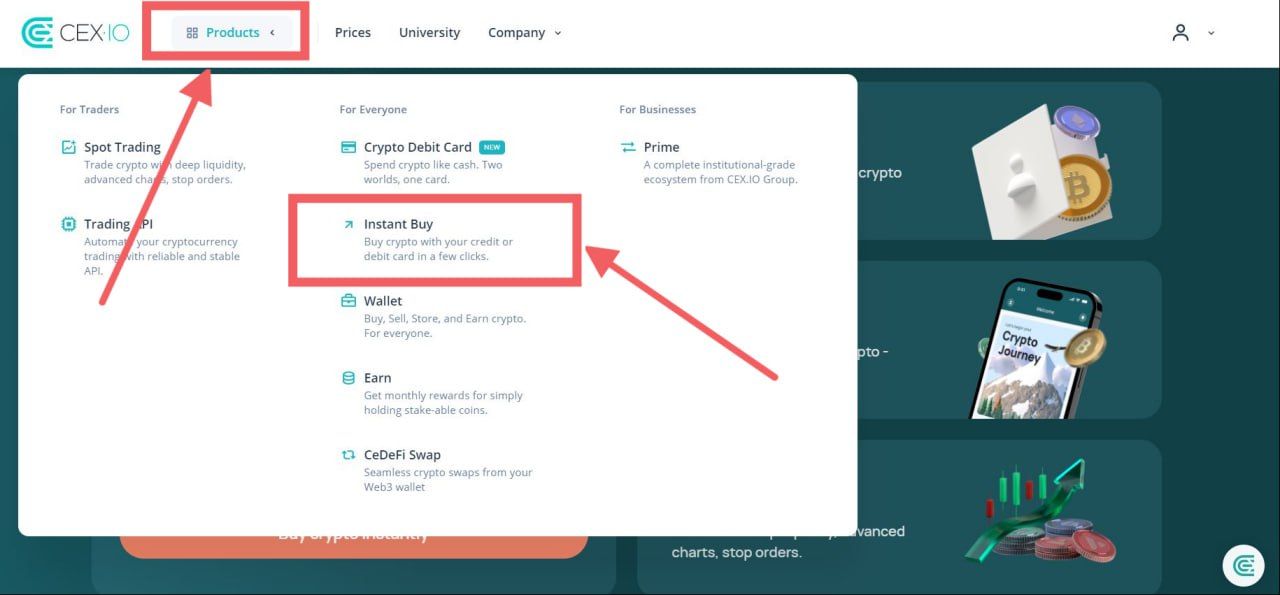
Once logged in, go to Buy Cryptocurrency from the dashboard, or tap Buy in the mobile app. From there:
- Select your preferred fiat currency (EUR, USD, or GBP). Other currencies are automatically converted upon purchase.
- Enter the amount of fiat you want to spend.
- Choose EURC from the list of assets or use the search bar to find it.
- Click Buy Crypto Instantly to proceed to the Add Funds page.
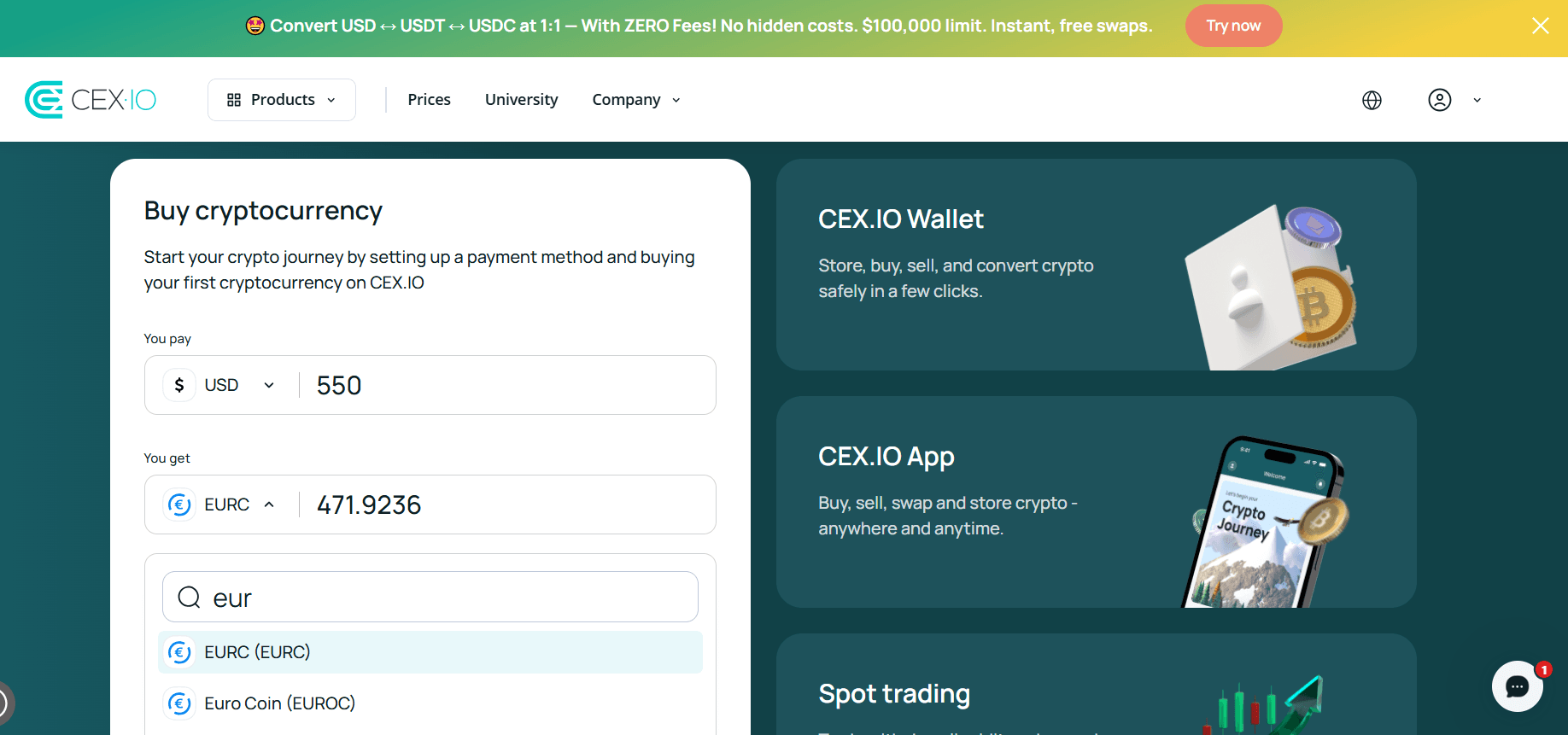
Step 4 – Select Your Payment Method
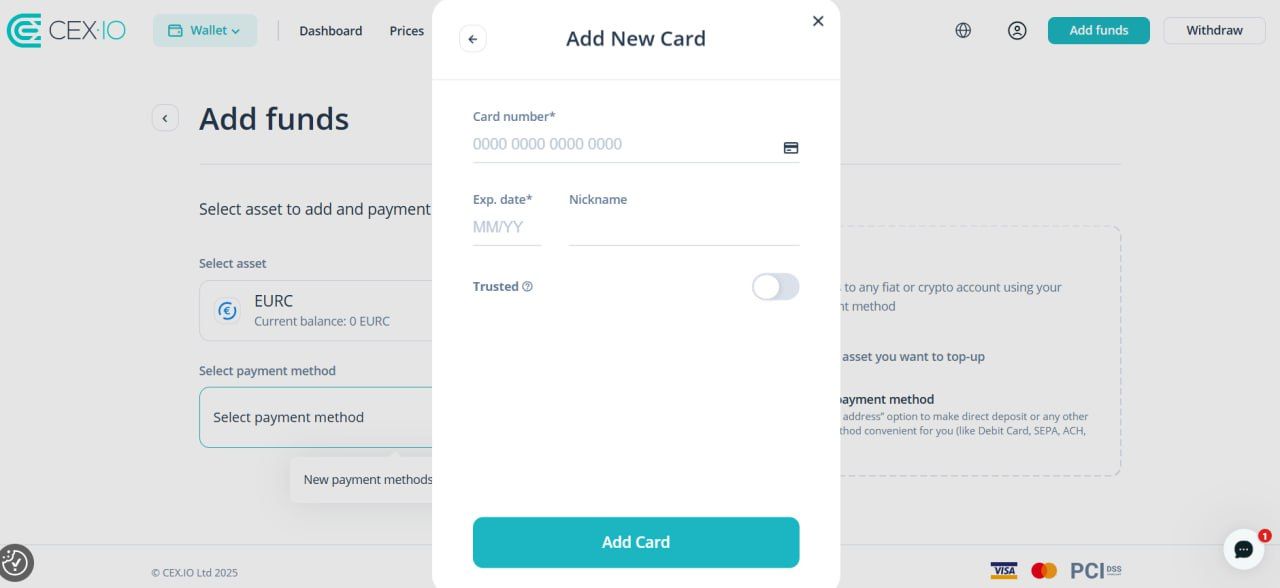
On the Add Funds page, adjust your purchase amount if needed, then click Select Payment Method. Choose Credit/Debit Card and enter your card details:
- Card number
- Expiration date
- CVV code
If this is your first purchase, click Add Card and follow the on-screen prompts to complete setup.
Step 5 – Review and Confirm
Before completing your order, review all details carefully, including purchase amount, currency, and EURC fees. When satisfied, click Confirm to finalize. Your EURC will appear in your CEX.IO Wallet instantly.
Why Buy ERC with CEX.IO?
With over a decade of experience in the crypto industry, CEX.IO remains one of the best crypto exchanges, serving users across continents, including the U.S. We were among the first platforms to enable crypto purchases with credit and debit cards, and continue to support a wide range of payment methods for convenience, including e-wallets and mobile payment processors.
CEX.IO caters to all experience levels, offering multiple services to explore:
- Instant Buy – Directly buy EURC or other crypto using your preferred payment methods.
- Spot Trading – Access thousands of trading pairs, from BTC-USD to EURC-EUR, EURC-USD, EURC-USDC, and EURC-USDT.
- Margin Trading – Available in select regions, offering leverage up to 20x.
- CEX.IO Earn (EURC not supproted) – Receive potential rewards on eligible assets via Crypto Staking or Crypto Savings.
- CEX.IO Pay – Send crypto instantly and with zero fees between CEX.IO users.
- Crypto Debit Card – For EEA residents, allowing crypto-to-fiat spending and ATM withdrawals.
- CEX.IO Convert – Instantly exchange assets without charts, ideal for beginners wanting fast swaps.
- Free CEX.IO Wallet – Available through our web-based client and mobile app for maximum convenience. Buy, sell, store, send, receive, trade, and swap crypto seamlessly across devices.
Alternative Payment Methods to Buy EURC at CEX.IO
Beyond credit and debit cards, CEX.IO supports multiple payment gateways depending on region and account level.
Buy Crypto with Apple Pay/Google Pay
For added convenience, users can buy crypto with Google Pay or Apple Pay, which connect directly to your linked cards. To buy EURC this way:
- Log in to your CEX.IO App.
- Tap Buy.
- Choose EURC.
- Enter the fiat amount.
- Select Buy Crypto with Apple Pay / Google Pay.
- Complete your EURC purchase as prompted.
Apple Pay and Google Pay carry the same 0.49%–4.99% + service charge fee range as cards. They’re supported for deposits only, as withdrawals are currently unavailable through these methods.
Buy EURC with a Prepaid Card
At CEX.IO, you can also buy crypto with a prepaid card, following the same purchase instructions as for credit/debit cards. This allows users to manage spending while maintaining privacy. However, some issuers may delay or decline crypto-related transactions. For smoother processing, we recommend using standard credit/debit cards or services like Payoneer.
Buy EURC with a Bank Account
Those who prefer avoiding leaving card details online can buy crypto with a bank account. However, bank deposits are handled through our Wallet service, not Instant Buy. After funding your account, you can use Spot Trading or CEX.IO Convert to exchange fiat for EURC.
To fund your account via bank transfer:
- Log in to your CEX.IO account.
- Go to Wallet from the dashboard or Products → Wallet.
- Find EURC under Cryptocurrencies and click Add Funds.
- Enter the amount and select Bank Transfer.
- Follow on-screen instructions to complete the transfer.
Once credited:
- Return to your Wallet.
- Under the Fiat tab, find your funded balance.
- Click Convert → choose EURC → specify the amount.
- Confirm the conversion to finalize.
FAQ
What is EURC crypto?
EURC stablecoin is a digital currency pegged 1:1 to the euro (EUR), designed to provide the benefits of blockchain without price volatility. It allows seamless euro-denominated transactions, cross-border payments, and a bridge between traditional finance and decentralized ecosystems.
Where to buy EURC stablecoin?
You can buy EURC on multiple crypto exchanges, including CEX.IO, where the process is fast, secure, and beginner-friendly. Users can choose between Instant Buy, trading pairs, or wallet funding for a hassle-free experience.
What can I do with EURC?
After buying EURC on CEX.IO, you can hold, sell, or withdraw it. Trade it for EUR, USD, USDC, or USDT via Spot Trading. Alternatively, use the CEX.IO Convert feature to swap EURC into other crypto or fiat instantly. Some trading pairs may be unavailable in restricted jurisdictions.
How does EURC work?
EURC operates as a fully collateralized euro-backed stablecoin, maintaining a 1:1 ratio with the euro (EUR). Each EURC token represents one euro held in reserve by a regulated financial institution, ensuring transparency and stability. It enables seamless euro transactions on blockchain networks, supporting cross-border payments, trading, and DeFi activities. You can check the latest EURC price anytime on our cryptocurrency prices page at CEX.IO.
Can I purchase EURC in my local currency?
Yes. CEX.IO supports USD, EUR, and GBP directly. If you use another currency to buy EURC, it will be automatically converted into one of these supported currencies during checkout, ensuring a smooth transaction.
How to buy EURC in the U.S.?
Currently, EURC is not available for U.S.-based users. However, American customers can explore over 100 supported assets, including Bitcoin, Ethereum, Cardano, and Aave. You can buy crypto with Wells Fargo, Citibank, JPMorgan, or other U.S. banks cards. PayPal, Apple Pay, and Google Pay are also supported for purchases, though bank transfers are not available in this region.
How to buy EURC with PayPal?
PayPal is restricted to U.S.-based customers only. Since EURC is not available in this region, purchasing this stablecoin with PayPal is not possible at the moment. However, if you want to buy crypto with PayPal (selected assets apply), you can use our Instant Buy service. Simply log in, navigate to Buy Cryptocurency, enter the required information, and choose PayPal under the Select Payment Method tab. Then, link the PayPal account with your CEX.IO Wallet and complete the purchase as instructed on the screen.
How to buy EURC with other cryptocurrencies?
If you already hold USDC or USDT in your CEX.IO account, trade them directly for EURC on Spot Trading. Alternatively, use CEX.IO Convert to swap from other assets in seconds.
How much is the fee to buy EURC?
EURC fees depend on your payment method.
- Cards (VISA/Mastercard): 0.49%–4.99% + service charge
- Apple Pay / Google Pay: 0.49%–4.99% + service charge
- Bank Transfers (SEPA/Faster Payments): €2.99 / £2.99 flat fee
- Skrill/NETELLER/PayPal: 3.99% + small fixed fee
Review fee details on our limits and commissions page before confirming your purchase.